Claim device
Read the device ID, node, connection address, and temporary credentials in the order details.
Order confirmed → Device assignedRent a dedicated physical Mac mini on demand and keep builds, tests, and experiments running continuously. Review the hardware, node, and rental term first, then retrieve connection details from the console and connect to your device.
Read connection details from the console. On first access, verify the device identity and host fingerprint, configure SSH, and enable the macOS graphical interface only when your workload requires it.
Read the device ID, node, connection address, and temporary credentials in the order details.
Order confirmed → Device assignedCompare the host fingerprint shown in the console with the result from your first connection, item by item.
Hostname → ED25519 fingerprintImport the public key used by your project and confirm that the command-line session and file permissions work correctly.
Key access → Permission verificationCheck the macOS, Xcode, and command-line tool versions before starting work.
Environment verified → Workflow ready$ vmdebug device claim --order VD-84A2
✓ dedicated Mac mini assigned
$ ssh-keyscan device-host
ED25519 SHA256:R7vQ...k31 verified
$ ssh build@device-host
✓ macOS session active
$ sw_vers
ProductName: macOS
$ xcodebuild -version
Xcode 16.x
Build version: readyIf the host fingerprint does not match the console record, stop the connection and submit a ticket through the console. Never include passwords, private keys, or complete payment details in public email.
Local workflows depend on whether a device is powered on and available; shared resources are also affected by platform queues. VMDebug devices are used by a single order, while your team controls concurrency, cache reuse, and disk cleanup.
Workflow illustration, not a performance guaranteeBar length represents only the number of waiting stages in the workflow, not build time or network performance.
Both tiers are dedicated physical cloud Macs, not virtual machines, and can be rented by the day, week, month, or quarter. Pricing for additional storage and Thunderbolt 5 parallel connections is listed separately on the plan page.
Mac mini M4 · 16GB RAM · 256GB SSD
Ideal for single-project development, automated testing, standard archiving, and light to medium continuous integration workloads.
Mac mini M4 Pro · 64GB RAM · 2TB SSD
Ideal for higher-concurrency builds, large caches, AI experiments, local datasets, and remote media processing workflows.
All prices are in USD. Node selection does not change the listed base hardware price; final configuration, add-ons, and amount due are reviewed together before order submission.
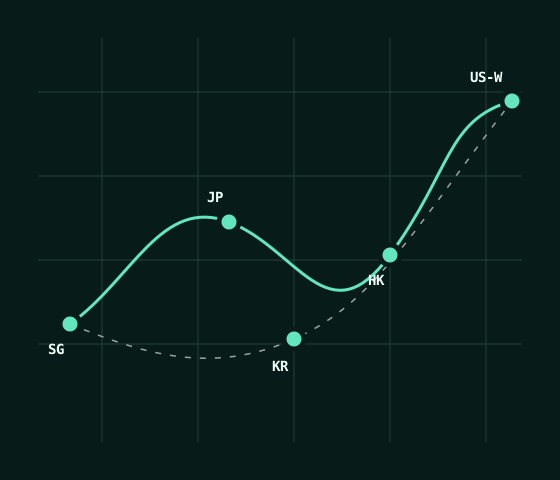
View additional storage, parallel options, and node matrixSingapore, Japan (Tokyo), South Korea (Seoul), Hong Kong, and the US West node all support both hardware tiers. The US West node is provided as one complete node, not split into multiple city options.
SG
For Southeast Asian workflows; selectable directly when ordering.
AvailableJP
For East Asian workflows; selectable directly when ordering.
AvailableKR
For Northeast Asian workflows; selectable directly when ordering.
AvailableHK
For South China and Southeast Asian workflows; selectable directly when ordering.
AvailableUS-W
For North American West Coast workflows, provided as a single node.
AvailableBoth VMDebug M4 and VMDebug M4 Pro are available in all 5 nodes listed above.
Actual availability at checkout is determined by the real-time response from the console.
Target availability / service terms definition
Each short bar represents one calendar day and shows the day-by-day structure of the target measurement window. The formal measurement scope, exclusions, claim materials, and results are governed by the service terms.
All nodes operate normally 365 days a year with continuous availability.
When the service terms are met, compensation is calculated based on the affected service period.
Submit the order number, device ID, affected time period, and any necessary redacted logs.
Recommended configurations simplify initial selection but do not replace project-level measurement. Before ordering, review dependency caches, build artifacts, datasets, concurrent jobs, and available disk space.
Recommended: VMDebug M4
Suitable for dependency restoration, compilation, unit testing, archiving, signing checks, and artifact downloads. Pin Xcode and dependency versions for long-running projects.
Recommended: choose based on concurrency and cache volume
Register a self-hosted runner and isolate its work directory, caches, and secrets. Start single jobs on M4; review M4 Pro first for high concurrency or large caches.
Recommended: VMDebug M4 Pro
Suitable for experiments requiring more unified memory, local dataset storage, and persistent sessions. Record dependency versions, model files, and baseline outputs first.
Recommended: VMDebug M4 Pro
Deploy media import, proxy generation, batch processing, and export to a cloud Mac, while completing final picture and audio review locally.
Copy only the necessary data first, reproduce the toolchain from a checklist, then connect the cloud Mac to CI. Keep verification points and rollback actions at every stage to avoid migrating the entire environment at once.
View the complete setup path01 / DATA
Migrate repositories, build inputs, required caches, and redacted configuration; do not copy obsolete historical artifacts.
02 / TOOLCHAIN
Match Xcode, command-line tools, Git, certificates, Keychain permissions, and dependency versions.
03 / CI
Register the runner, isolate the work directory, inject secrets, and retain necessary logs for failed jobs.
Review the complete FAQ and service terms for access permissions, system upgrades, data export, renewals, and compensation limits.
View the complete FAQNo. VMDebug provides dedicated physical cloud Macs, with device resources assigned to one order and not shared with another order on the same device.
Yes. Both hardware tiers support daily, weekly, monthly, and quarterly terms. The VMDebug M4 starts at $19.9/day.
Choose from Singapore, Japan (Tokyo), South Korea (Seoul), Hong Kong, and US West—5 nodes in total. Actual availability is returned in real time by the console.
Only USDT-TRC20 and Visa / Mastercard / Amex (via Stripe) are supported. All orders are billed in USD; the actually available payment gateway is determined by the backend response.
Choose a hardware tier, node, and daily / weekly / monthly / quarterly term, then verify the configuration and USD amount before submitting. Only USDT-TRC20 and Visa / Mastercard / Amex (via Stripe) are supported.